How to Make Music From Scratch: A Newbie's Gear and Setup Guide
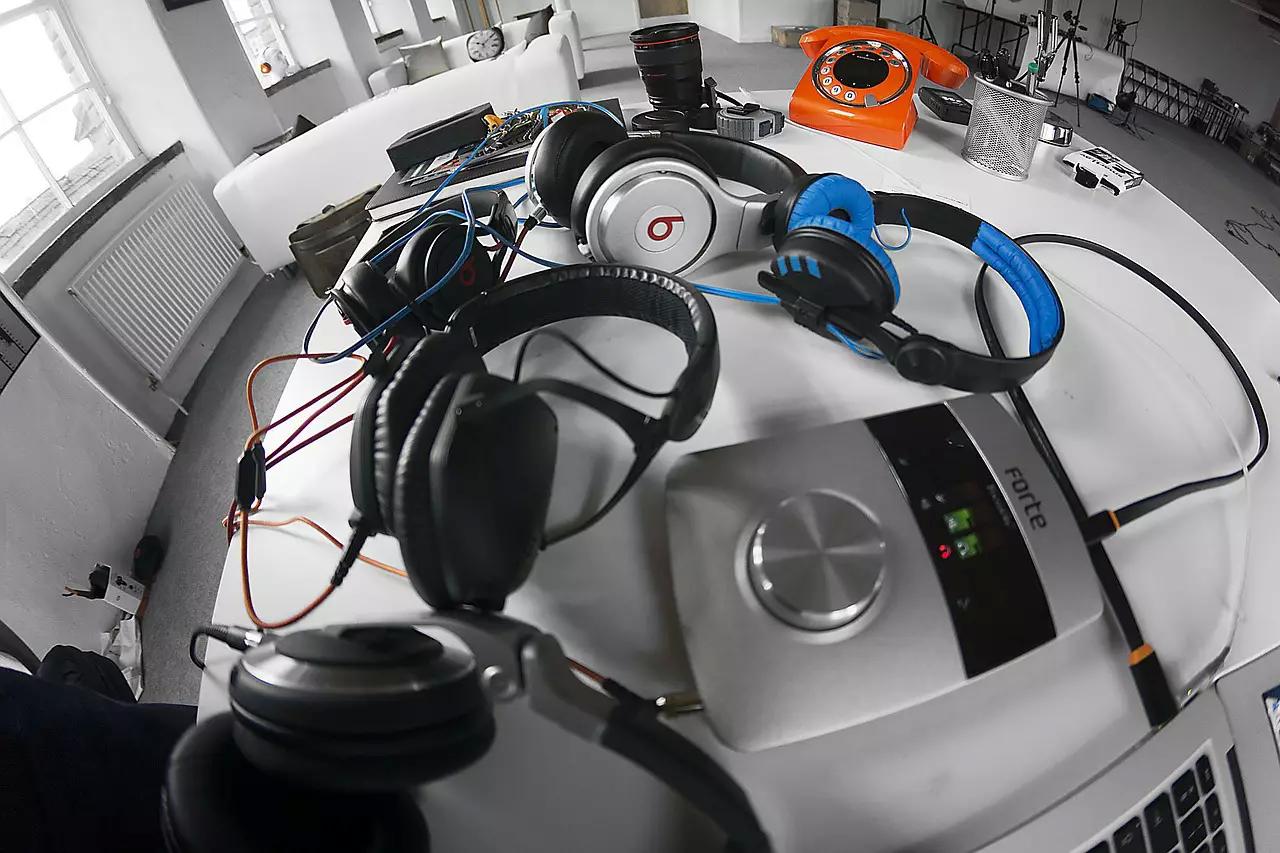
Quick answer: To start making music, you need a computer, a DAW (digital audio workstation), and - if you’re recording live sound - an audio interface, a microphone, and either studio monitors or a good pair of headphones. A MIDI keyboard helps if you’re programming virtual instruments. None of it needs to be expensive: a genuinely usable starter setup runs a few hundred dollars beyond the computer you already own.
Making your own music for the first time is intimidating mostly because nobody explains what you actually need before you start. Here’s the real starter list - not the aspirational one - to get you from zero to your first finished idea.
#1 - Get the Right Gear (And Not More Than You Need)
If pure beat-making is your goal, a DAW is genuinely all you need to get started - see our guide to picking one if you haven’t chosen yet. Recording live sound adds a short list beyond that:
- Audio interface
- Microphone
- Studio monitors or good headphones
- MIDI keyboard
An audio interface is how you connect a real microphone for actual recording quality - a $150 starting budget gets you something usable, and shopping around can do better. A microphone runs about the same for something genuinely decent, though cheaper options exist if you're not recording vocals professionally. Studio monitors (real, purpose-built speakers, not your laptop's) run around $150 and up and need correct placement to be useful; a good pair of headphones is a legitimate substitute if that’s not in the budget yet. A MIDI keyboard for playing and programming virtual instruments can be had for under $100, and it’s not essential unless you’re recording live drums, guitar, and other real instruments instead of programming everything.
#2 - Set Up Your Space
Once your gear’s in hand, pick a quiet room - carpeted, minimal windows if you have the choice - and use blankets or padding to cut down on reflections and outside noise. If you’re using monitors, angle them at roughly 45 degrees toward where you sit, pointed at ear height; adjust by ear once you’ve got music actually playing through them.
#3 - Start Recording, Badly, on Purpose
Once everything’s set up, just start playing with it. Get familiar with your DAW’s options, poke around the built-in instruments and plugins that came with it. You don’t need to make anything good yet - you need to build a feel for how the software actually behaves, and that only happens by making a mess first.
#4 - Remember Less Is More
As you start layering tracks, resist the urge to keep adding. Extra sounds and instruments feel like progress but often just bury the actual song underneath. Keep the focus on the groove, not the pile of extra tracks stacked on top of it.
#5 - Save Constantly
Save your work every time you take a break, get up, or even just pause to think. DAWs are demanding enough on your computer that a crash is a real possibility, not a hypothetical - and losing a session you can’t quite recreate is a genuinely bad way to end a productive day.
#6 - Watch People Actually Producing
Thousands of real production tutorials exist on YouTube - watching someone build a track start to finish teaches things a written explanation can’t, especially early on when you don’t yet know what questions to ask.
#7 - Take Real Breaks
Step away regularly. Hours in front of a screen fries your judgment, not just your eyes - painters step back from a canvas to see it fresh, and you should do the same with a track. Come back with rested ears, not just a rested back.
Try this prompt: Once you’ve made your first rough beat or idea, describe it to an AI assistant (genre, tempo, mood, what instruments you used) and ask: “What are 2-3 beginner-friendly techniques I could try next to build this out further?” Use it to unstick yourself when you’re not sure what comes next - not as a substitute for actually experimenting in your DAW.
These fundamentals apply whether you end up producing professionally or just want to keep making your own music for the love of it. Either way, the setup above is genuinely enough to get a real idea out of your head and into something you can share.
Frequently Asked Questions
What equipment do I actually need to start making music? A computer and a DAW cover pure beat-making. If you’re recording live sound, add an audio interface, a microphone, and studio monitors or good headphones - a MIDI keyboard rounds things out if you’re programming virtual instruments rather than recording live playing.
How much does it cost to start a home studio? A usable starter setup runs a few hundred dollars beyond the computer you likely already own - roughly $150 each for a decent audio interface, microphone, and studio monitors (or skip the monitors for headphones), plus under $100 for a basic MIDI keyboard if you need one.
Do I need to buy expensive equipment to make good music? No. The gear on this list is genuinely entry-level, and plenty of released, well-produced tracks were made on exactly this kind of setup. Your ear and your patience matter more than your budget.
Made something you’re proud of? Submit Your Music and let’s get it out to real listeners.
Sharing is caring — pass it on: